

Factory IoT Data Bridge
Solution Description
We develop interactive communication systems based on standard equipment protocols, bridging OT equipment to IT management platforms. Our solution adapts to diverse integration methods, including enterprise proprietary protocols. Without modifying machine software, legacy equipment can be quickly upgraded for cloud connectivity, expanding factory IoT dashboards and advanced data applications
Field Challenges
-

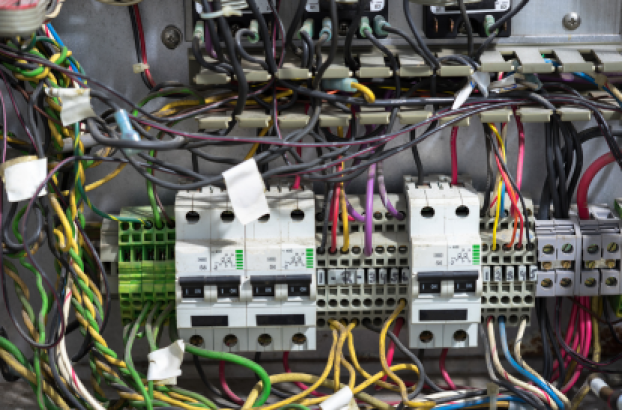
Equipment Disparity
Legacy machines lack communication capabilities, and mixed brands create a gap between old and new equipment, making integration difficult. -
Format Chaos
With thousands of different communication protocols and non-standardized formats, integrating production data is complex and challenging. -

High Modification Risks
Modifying original equipment often voids warranties, incurs high costs, takes a long time, and poses potential operational risks.
Solutions and Value
-

Non-Intrusive Implementation
Achieve standardized communication capabilities directly from the signal end without the need to modify the original machine's software or hardware, enabling rapid deployment. -

Standardized Data
Converts diverse arbitrary formats into unified standards, fully supporting mainstream industrial platforms and protocols like MQTT and SEMI. -
Industrial-Grade Reliability
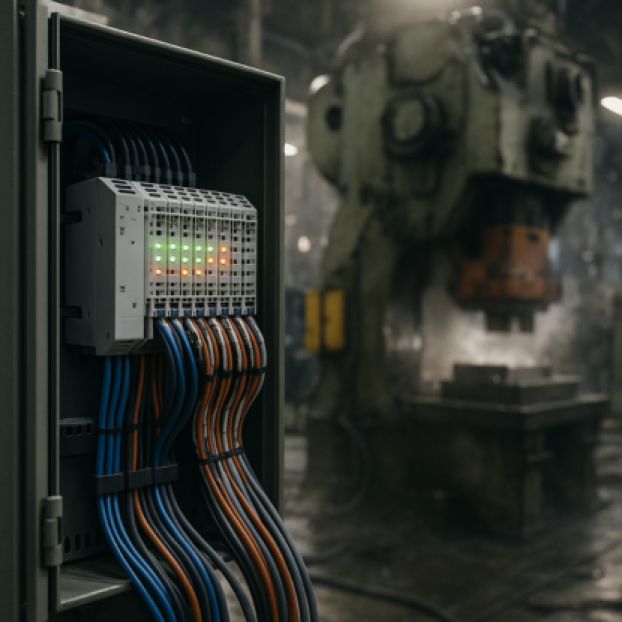
Designed with anti-interference capabilities and signal isolation protection, ensuring stable operation even in harsh industrial environments.
Application Scenarios
-

Manufacturing Site
Instant data capture, tracking, and process visualization to optimize on-site decision-making. -

SMT Production Line
Enables non-standard interface equipment and older SMT machines to join the smart manufacturing network seamlessly. -

Automation Workstation
Connects PLCs, robots, and controllers, bridging the gap between automated logic and information systems.
Supported Equipment Brands
Leveraging I/O module parsing, we expand PLC card communication capabilities to enhance connectivity efficiency and reduce costs. Supported brands include FANUC, Siemens, Mitsubishi, Omron, Panasonic, and more.

FANUC CNC

FANUC Robot

SIEMENS PLC / NC

MITSUBISHI PLC

FATEK PLC

KEYENCE PLC

OMRON PLC

PANASONIC PLC

PC/ HMI
Empowering Strategic Transformation through Comprehensive Integration
Sunjsong provides expert system integration services, seamlessly merging EMS, AI, IoT, and edge computing. We empower enterprises to implement intelligent applications and achieve cross-domain synergy, creating high-efficiency, visualized environments that drive strategic value and informed decision-making.
Hardware Function Overview
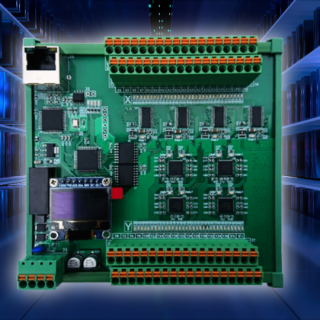
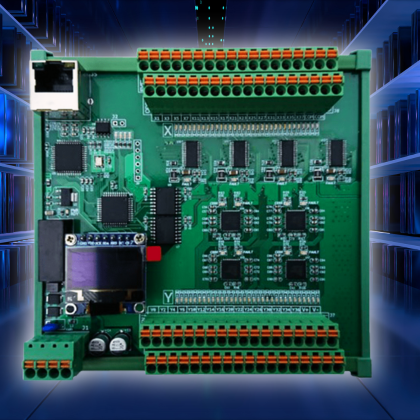
Integrating hardware capabilities and interface features to quickly grasp the key functions of the product.

Multiple I/O

Communication Flexibility

Module expansion
Cross-brand PLC integration demonstration
Smart Remote I/O × KEYENCE PLC
Quickly capture KEYENCE equipment I/O status
Smart Remote I/O × FANUC NC
Connect to the network without modifying the program FANUC NC
Smart Remote I/O × Panasonic PLC
Quick integration of Panasonic PLC I/O data
Smart Remote I/O × OMRON PLC
Support OMRON multi-point I/O signal acquisition
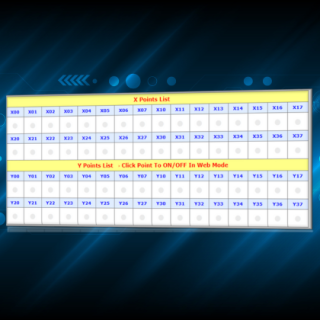
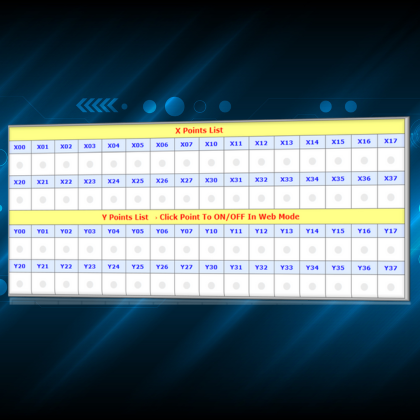
Smart Remote I/O × Modbus TCPTCP and WEB
Easily upload device data via Modbus TCP
Detailed specifications
| Transistor model | LJ-SRIO-X32Y32 | LJ-SRIO-X32Y32 | LJ-SRIO-X16 | LJ-SRIO-Y16 |
|---|---|---|---|---|
| Input Voltage | 24 VDC ± 20% | 24 VDC ± 20% | 24 VDC ± 20% | 24 VDC ± 20% |
Input points |
PNP or NPN
Change through COM |
PNP or NPN
Change through COM |
PNP or NPN
Change through COM |
|
| Input Type |
PNP or NPN (transistor)
Change through web settings |
PNP or NPN (transistor)
Change through web settings |
PNP or NPN (transistor)
Change through web settings |
|
| Output Voltage | 32 points | 16 o'clock | 16 o'clock | |
Maximum output current |
PNP Mode : 500 mA
NPN Mode : 300 mA High-Side : 1500 mA |
PNP Mode : 1200 mA NPN模式 : 810 mA High-Side : 1200 mA |
PNP Mode : 1200 mA NPN Mode : 810 mA High-Side : 1200 mA |
|
Output Protection |
Overcurrent, overvoltage Short circuit (error warning light) |
Overcurrent, overvoltage, overtemperature Short circuit (individual error warning light) |
Overcurrent, overvoltage, overtemperature Short circuit (individual error warning light) |
|
| Electrical isolation method |
2500 Vrms optical isolation 2500 Vrms communication isolation |
2500 Vrms optical isolation 2500 Vrms communication isolation |
2500 Vrms optical isolation 2500 Vrms communication isolation |
2500 Vrms optical isolation |
| Installation method | DIN-Rail | DIN-Rail | DIN-Rail | DIN-Rail |
| Size | 123mm×122mm×50mm (length × width × height) | 123mm×122mm×50mm (length × width × height) | 116mm×78mm×45mm (length × width × height) | 116mm×78mm×45mm (length × width × height) |
| Relay model | LJ-SRIO-RY8 |
|---|---|
| Input Voltage | 24 VDC ± 20% |
| Input points | |
| Input Form | |
| Rated output withstand voltage | 32 points |
| Output format | Relay output (1 CO SPDT) |
| Rated output current | 10 A (MAX : 16A) |
| Relay model | FINDER 43.41 |
Electrical isolation method |
2500 Vrms optical isolation 6000 Vrms communication isolation |
| Installation method | DIN-Rail |
| Size | 55mm×122mm×50mm (length × width × height) |
| Relay model | LJ-SRIO-X4Y4-CE1 | LJ-SRIO-X8Y8-CE1 |
|---|---|---|
| Input voltage | 24 VDC ± 20% | 24 VDC ± 20% |
| Input points | 4 o'clock | 8 o'clock |
| Input Form | PNP or NPN change through COM | PNP or NPN change through COM |
| Output voltage | 24 VDC ± 5% | 24 VDC ± 5% |
| Output format | PNP or NPN changes through COM | PNP or NPN change through COM |
Maximum output current |
PNP Mode : 1200 mA NPN Mode : 810 mA High-Side : 1200 mA |
PNP Mode : 1200 mA NPN Mode : 810 mA High-Side : 1200 mA |
| Output Protection | Overcurrent, overvoltage, overtemperature short circuit | Overcurrent, overvoltage, overtemperature short circuit |
Electrical isolation method |
2500 Vrms optical isolation 2500 Vrms communication isolation |
2500 Vrms optical isolation 2500 Vrms communication isolation |
| Installation method | DIN-Rail | DIN-Rail |
| size | 90mm×54mm×61mm (length × width × height) | 121mm×38mm×100mm (length × width × height) |